Meters
The meters panel provides level and stereo views alongside the main analysis area. Right-click meters to open its options.
Choose the displays
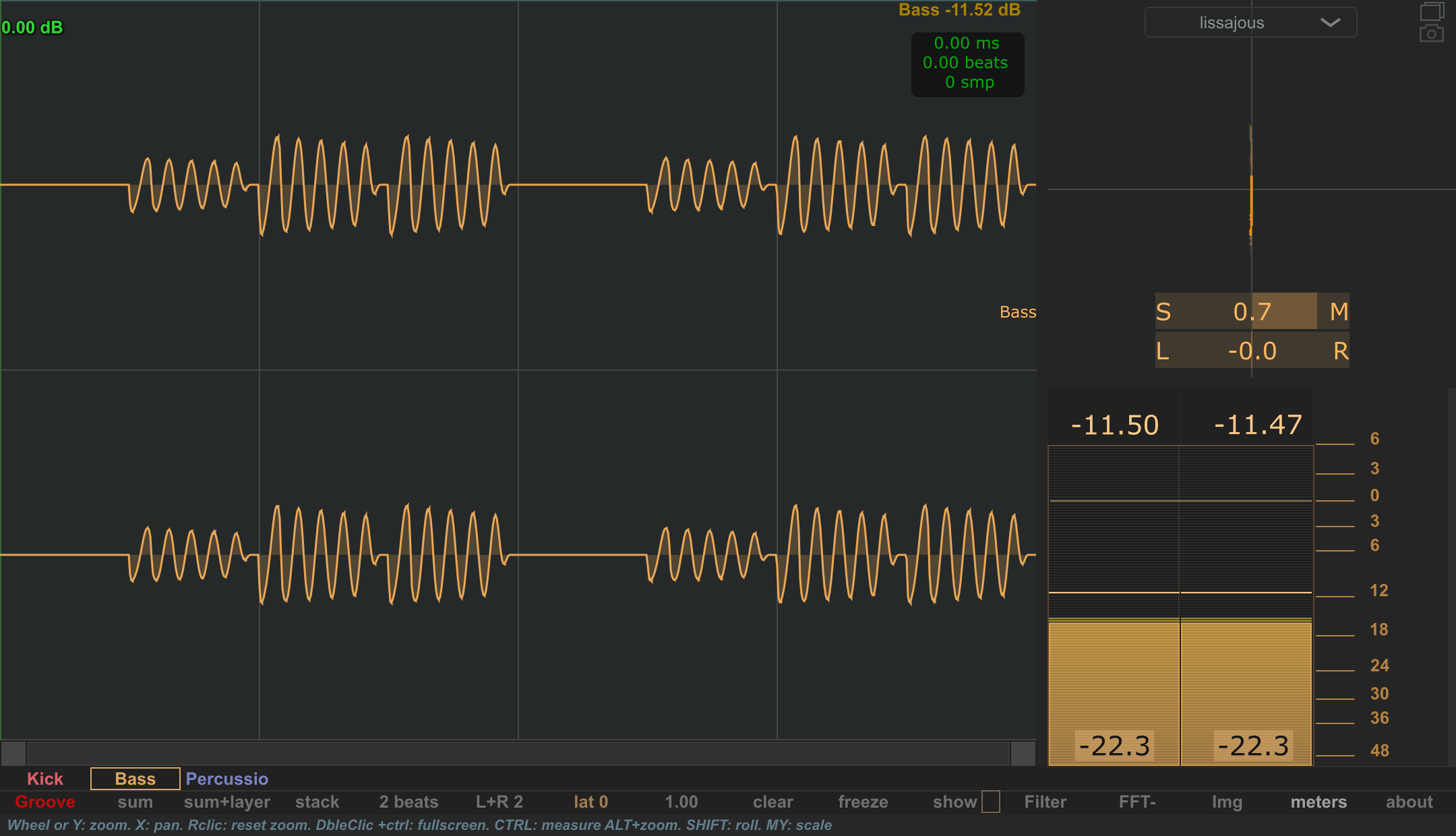
The Layout section includes Corrolometer and Vu meter visibility controls and a Split ratio for the space between them.
Level display
The Vu meter settings include the upper and lower dB limits, peak hold, rms window, main speed and orientation.
Use the waveform to locate a transient in time and the level display to inspect its level. Keep the meter settings consistent when comparing sounds; changes to the RMS window or visual response can change how the display moves.
Stereo display
The Corro section selects the stereo view. Lissajous/polar options include scale, sample history, glow and decay. Spectral options have their own FFT size and band settings.
Use the stereo display alongside the channel views to explore how the two channels differ.
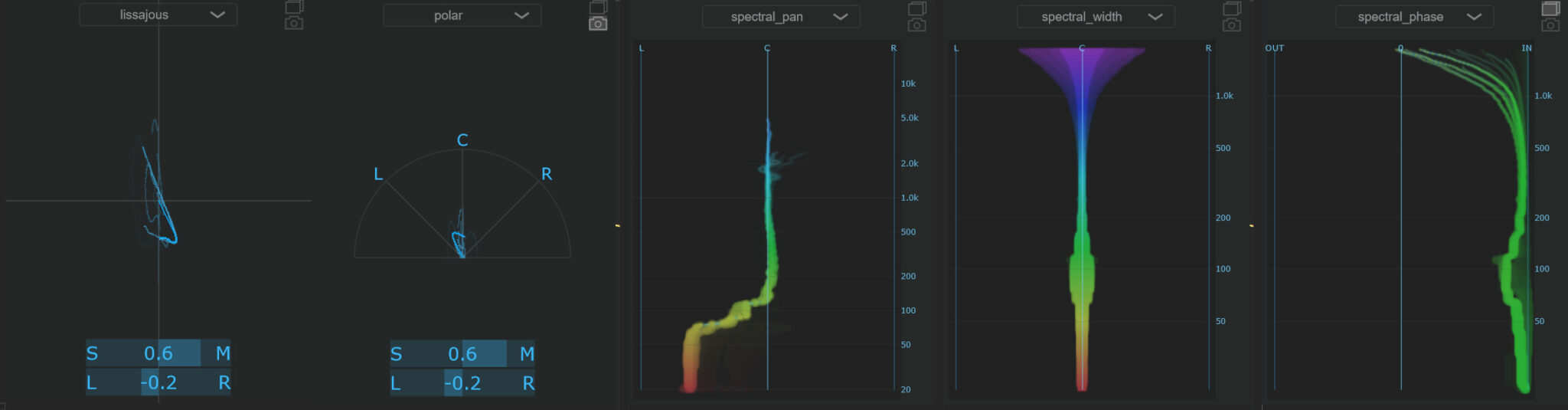
The five correlometer modes
Choose the mode from the stereo display's selector, or from meters → Corro: in the options menu.
| Mode | Use it to inspect… |
|---|---|
| lissajous | The relationship between the left and right waveforms as a trace. |
| polar | The stereo trace on an L / C / R polar layout. |
| spectral_pan | Left-to-right balance across frequency bands. |
| spectral_width | How the stereo relationship spreads across frequency bands. |
| spectral_phase | The correlation relationship across frequency bands, from OUT toward IN. |
For the spectral modes, adjust the dedicated FFT size and bands controls in Corro:. These settings belong to the stereo display. The scale, sample history and decay controls described above shape the Lissajous/polar presentation.
To compare several sounds' stereo distributions in the main analysis area, see Stereo analyser.