Delta comparison
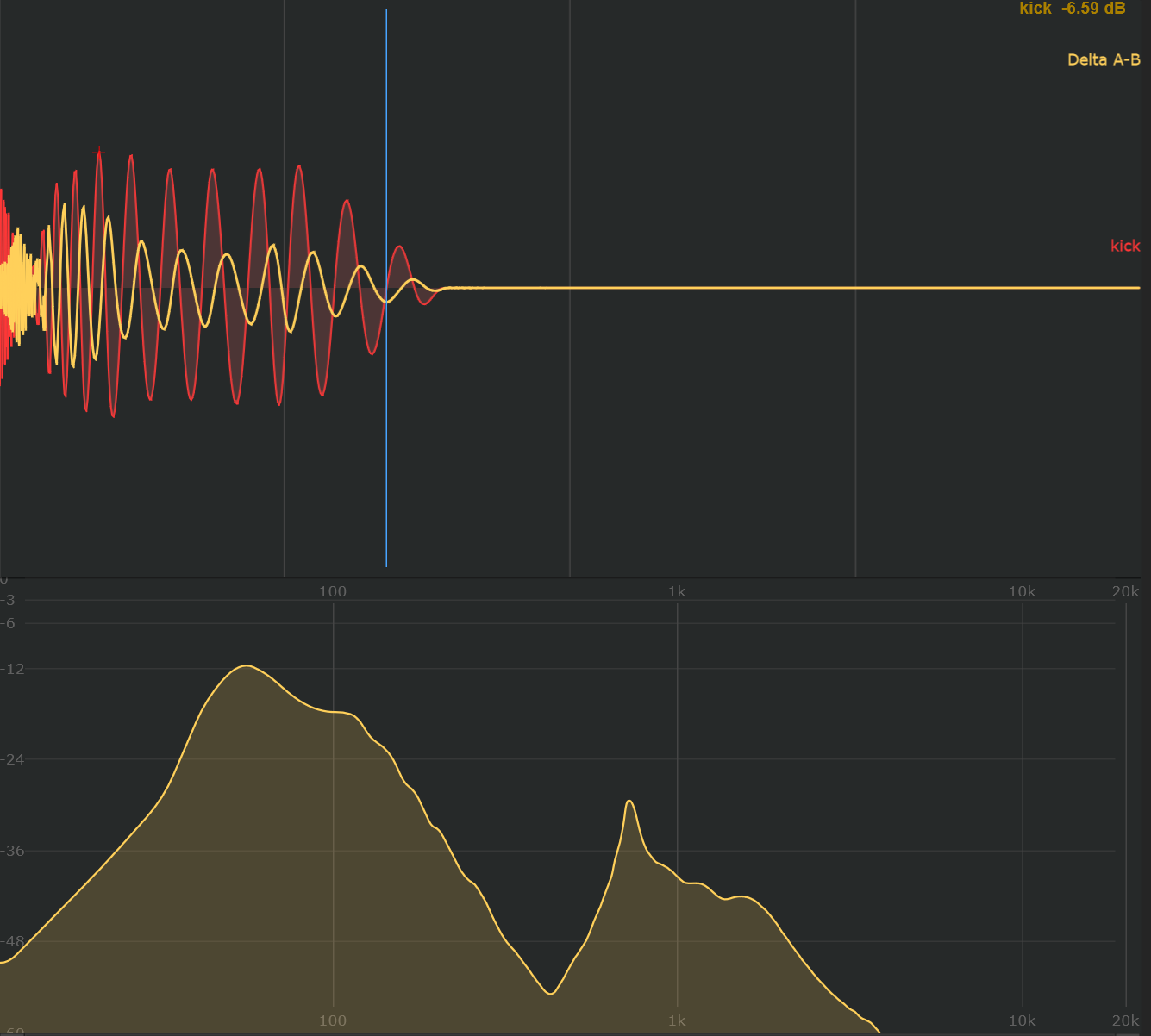
Delta A-B displays the difference between two sounds. Use it to locate what changes between related sources, such as two versions of a sound or a dry and processed track.
Choose the pair
The comparison uses the first two enabled, existing sounds in the current group, in sound-slot order. It subtracts the second sound's mono component from the first: A − B.
- Put the sounds you want to compare in the same group.
- Check that they are the first two enabled sounds there.
- Open show → Analyser: and enable Delta A-B.
- Keep waveforms visible, or enable FFT to inspect the difference in the frequency view as well.
Read the difference
The yellow Delta trace shows the remaining signal after subtraction. Matching, aligned mono signals cancel toward silence; a difference in level, timing or waveform leaves a residual.
Use Delta only to hide the ordinary waveform traces while Delta is active. This option concerns the waveform presentation; the FFT view can also show the Delta spectrum.
Before interpreting a large difference, check the pair, its relative levels and its alignment. To examine reinforcement and cancellation when sounds play together, also inspect their sum and phase correlation.