Smooth
Select Smooth in the curve selector to edit its frequency-dependent curve, and enable its on/off control to process audio.
Smooth detects peaks that stand above their neighbouring frequencies and attenuates them. The editable curve sets Sensitivity 0–100% by frequency: lower the curve to protect a region, or raise it where resonance reduction is wanted. The orange trace shows the reduction currently applied.
The control beneath Smooth is an Amount control. It scales the reduction together with the sensitivity curve. At zero sensitivity or zero Amount, that region is left unchanged. Smooth shares the spectral engine and does not add a separate FFT latency. Like Pan, Smooth is unavailable during Corr’s active sidechain-analysis mode.
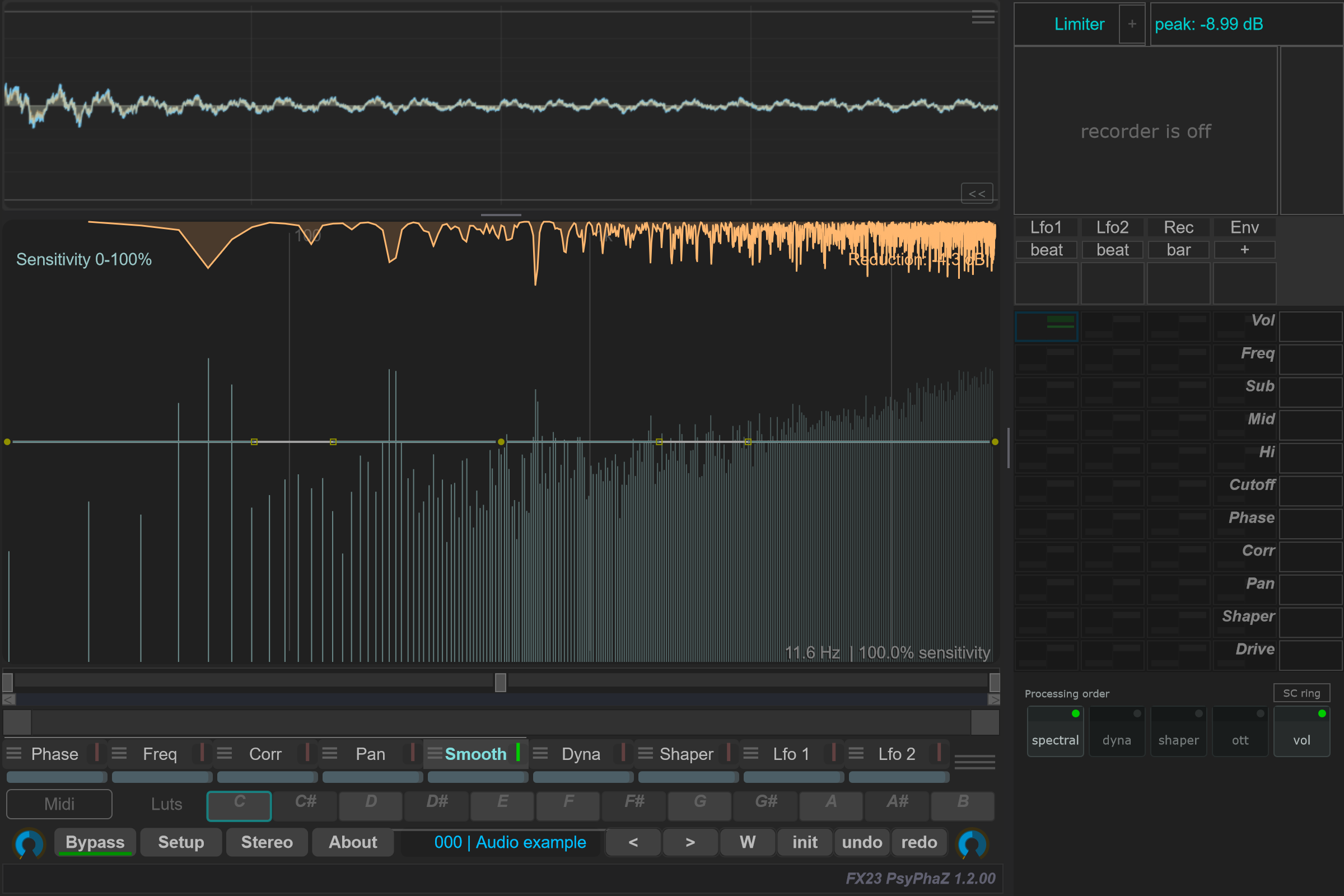
Open the detailed reduction capture.
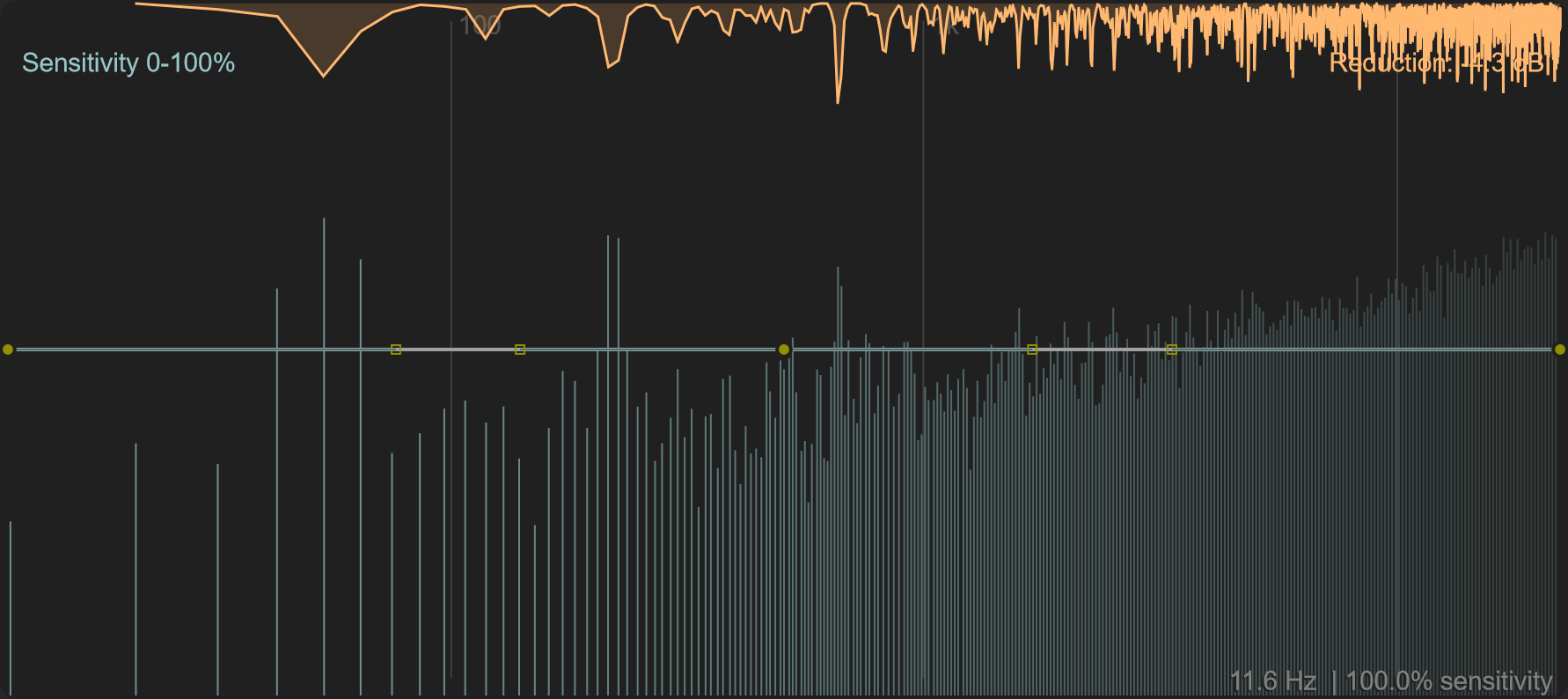
Options and parameters
Open the small menu icon beside this case in the curve selector, or right-click its label away from the contribution bar. Select the case itself to edit its Bezier shape. Click a capture to view it at full size; displayed values are an example state.
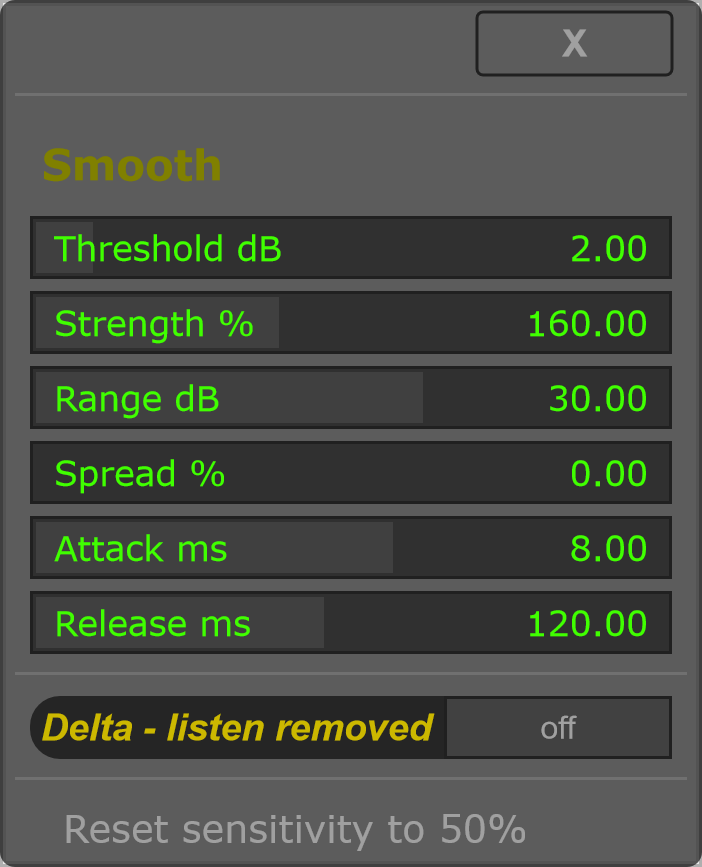
Begin with a moderate Strength and Range. Adjust Threshold until the trace follows the peaks you want to control, shape sensitivity to protect other regions, then use Amount to balance the result. Delta helps identify what is being removed.
Smooth is part of the Spectral block in Processing order. It has no separate matrix destination in this version.