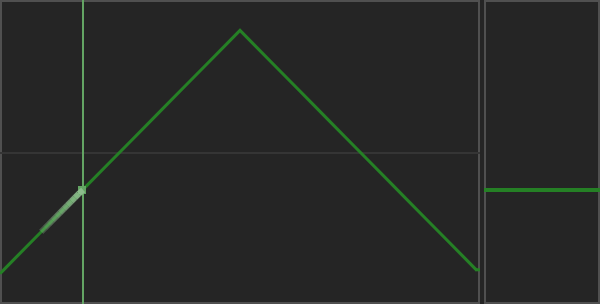
Modulation sources
See the curve options reference for native menu screenshots and parameter-by-parameter tables.
The right panel offers four modulation sources, labelled Lfo1, Lfo2, Rec and Env in the matrix. A source needs both its on/off control and an enabled matrix route to affect a destination.
Lfo 1 and Lfo 2
Select Lfo 1 or Lfo 2 in the curve selector to edit its shape. Enable the source, open its timing menu in the right panel, and choose a Sync value to set its speed or duration.
The LFO options include trigger and audio-detection settings. Audio-dependent options appear according to the selected mode. For sidechain detection, send a sidechain signal from your host and check the selected audio source.
Recorder
See Rec timing options for the native menu and duration choices.
The Recorder captures a modulation gesture rather than an audio recording. Drag its fader vertically to record movement. Its editor supports left-click drawing, right-click reset and middle-button scale/shift gestures, as described by the hover console.
Use Rec timing to choose its Sync duration. Enable the source and route it in the matrix to hear the movement.
Record a fader gesture
Enable Rec, choose its Sync duration, and keep the transport playing. Click and hold the left mouse button on the vertical fader at the right of the Recorder, then drag up and down. The red frame indicates recording. Release the button to stop writing: the frame turns green and the recorded movement plays back over the loop.
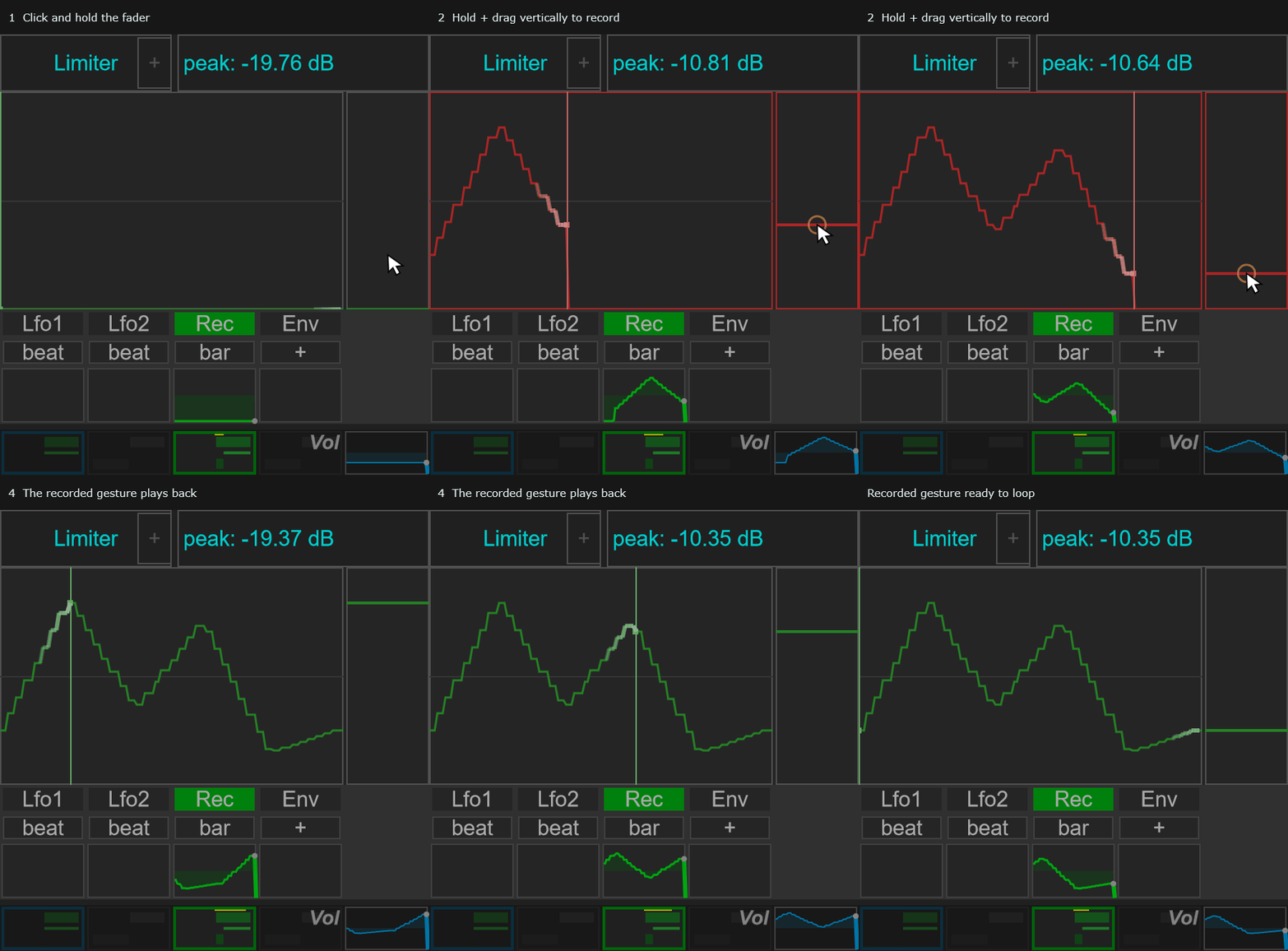
This records a modulation gesture. Enable a route in the modulation matrix to apply that movement to a destination.
Envelope follower
See Env options for the native menu and a table of every control.
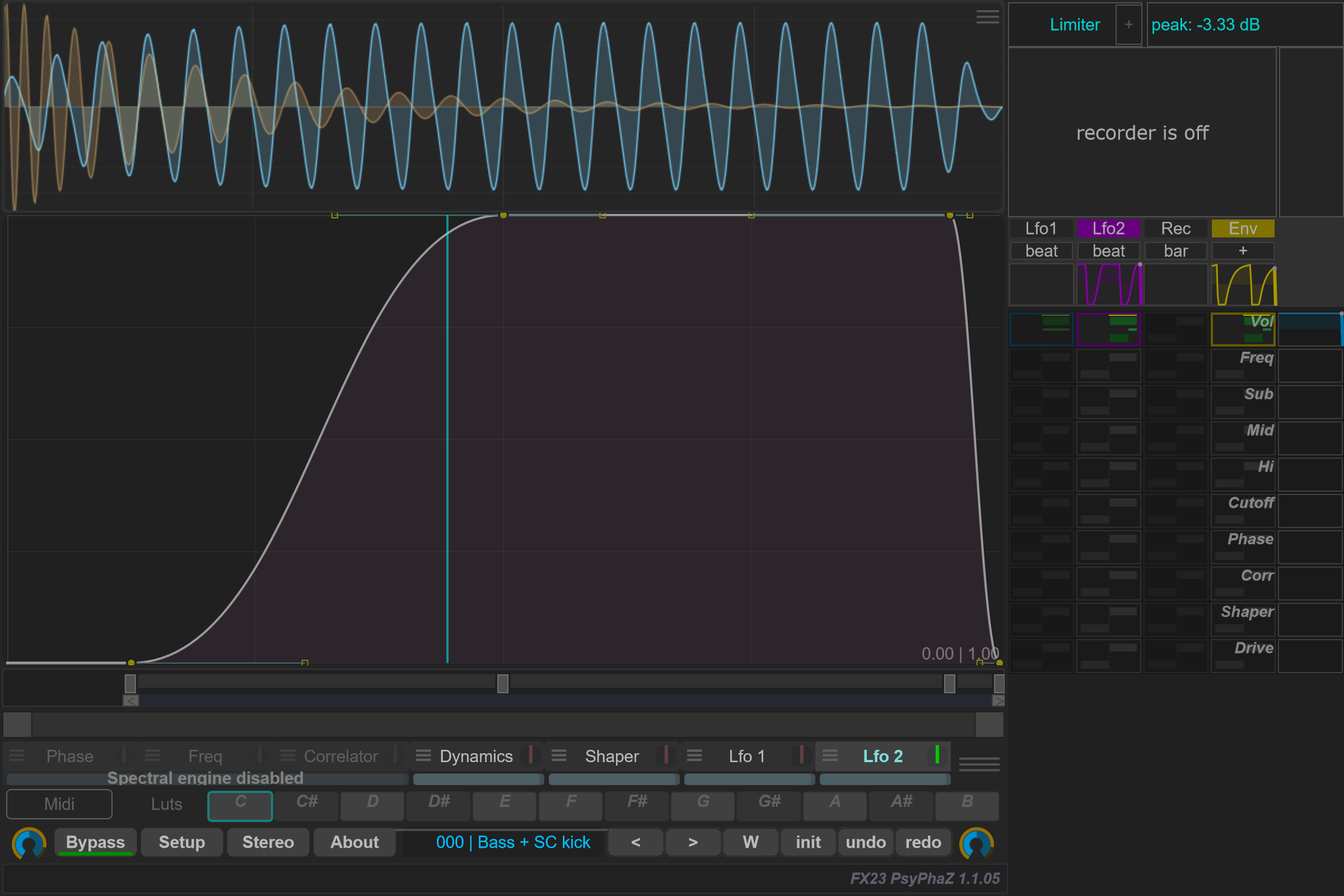
Open Env settings to choose Source and adjust Attack, Release and Gain. Inverted reverses the modulation direction.
Use Pre-Filter, Type, Freq and Q to focus detection on part of the signal. Listen monitors what the detector receives. Check this signal when modulation responds to the wrong part of a sound.
Continue with Modulation matrix to connect a source to a destination.
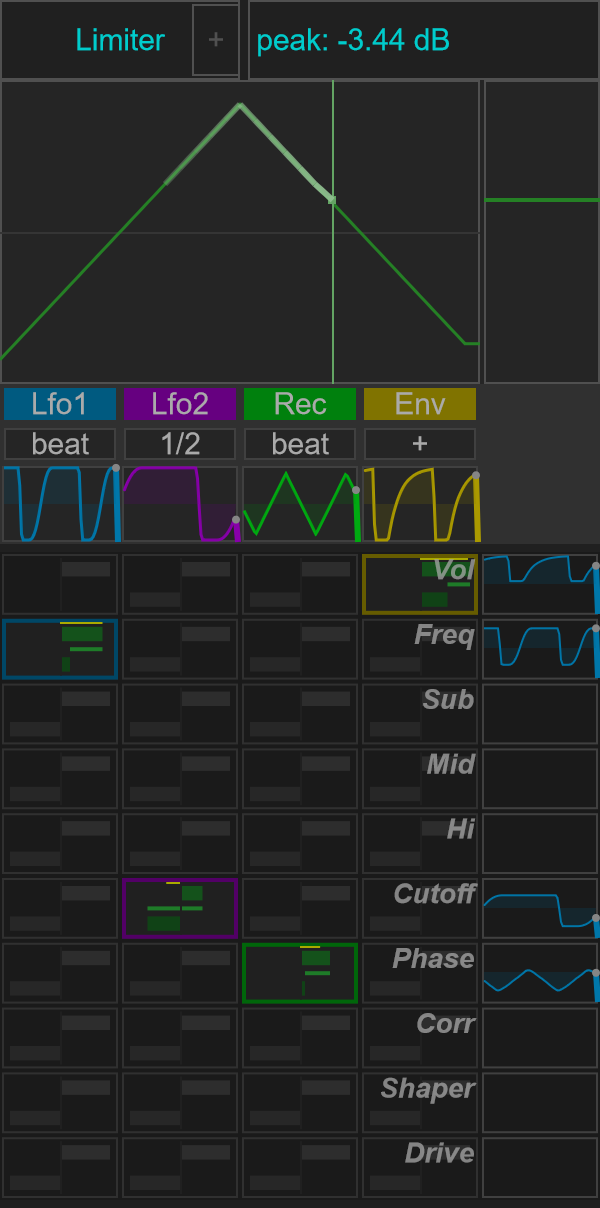
| Source | Target | Minimum | Maximum |
|---|---|---|---|
| Lfo1 | Freq | 0.20 | 0.85 |
| Lfo2 | Cutoff | −0.65 | 0.45 |
| Rec | Phase | 0.10 | 0.60 |
| Env | Vol | 0.55 | 1.00 |
These are normalized modulation limits. The output histories show the values after range mapping; Rec uses a prepared triangle gesture and Env follows the sidechain kick.