Workspace and clock
Pattern length
Choose workspace 1 bar, 2 bars or 4 bars. Shortening keeps hidden bars for later. Straight / Triplet selects separate patterns; bar duration stays unchanged.
Clock Divider
| Clock | One workspace bar occupies |
|---|---|
| Clock: 1 | One transport bar |
| Clock: /2 | Two transport bars |
| Clock: /4 | Four transport bars |
The divider slows sequencing. Source speed and pitch keep their own settings; kick and metronome keep the original tempo.
During playback, a manual Clock change waits for the next transport bar, then restarts from Start. At stop, the value is ready for the next playback. Local memories save Clock.
Start and editing loop
Arrows beside start shift pattern start. reset restores it. apply bakes the offset into active patterns and returns Start to zero, rounding to the file-sequence grid.
The temporary editing bar loop focuses on one bar. full leaves it at the bar boundary and returns to the complete workspace.
Protect a pattern
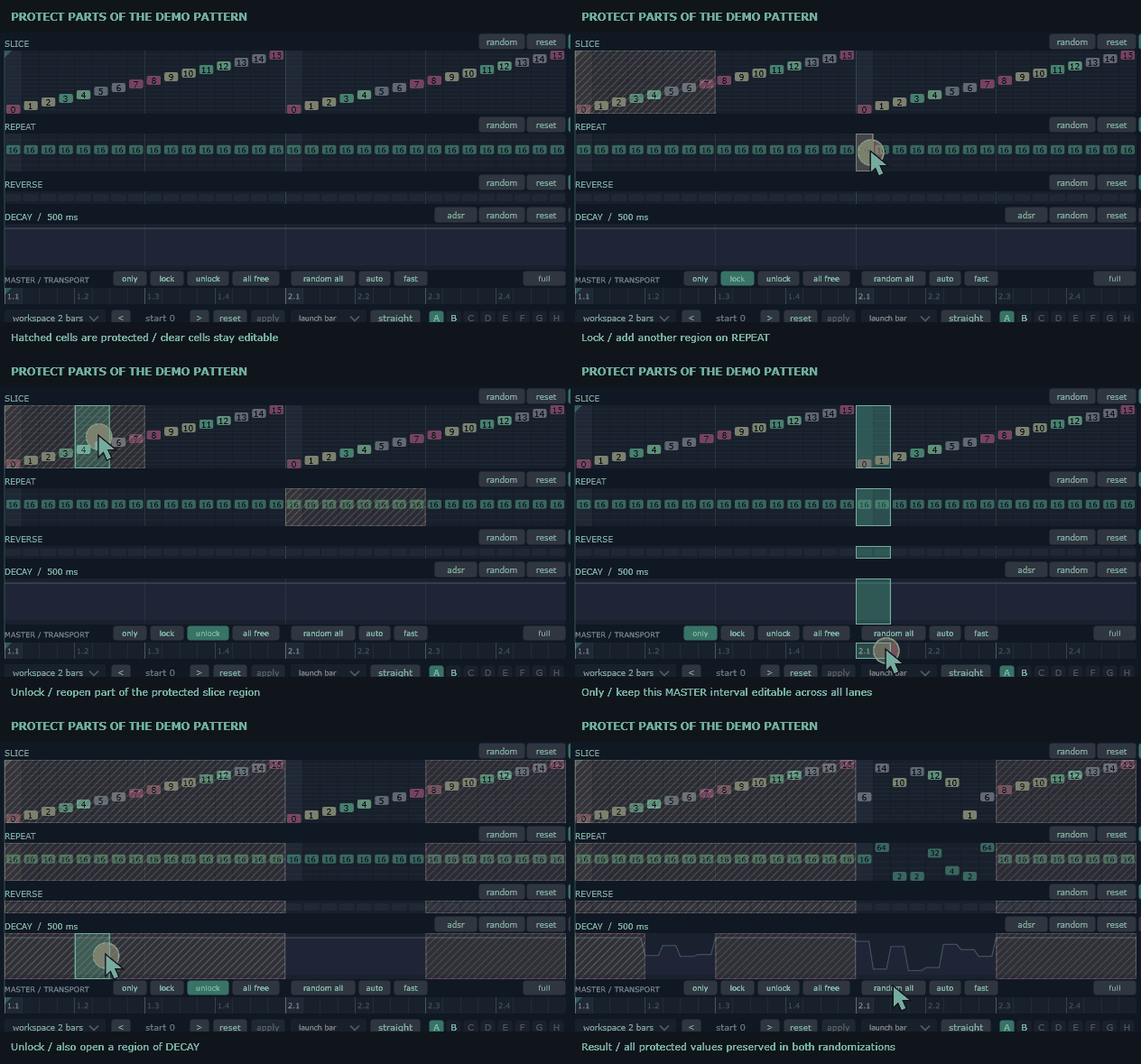
Choose lock and draw to protect an area. only leaves only the drawn area editable. unlock frees an area; all free removes protections. Drawing on MASTER targets the lanes together.
Protections preserve chosen material during editing and randomization. They belong to the session and are not saved in presets or projects. Escape leaves a protection tool.
The demonstration first locks separate parts of SLICE and REPEAT, then unlocks part of SLICE. After all free, only is drawn on MASTER to leave one interval editable across all lanes. Another interval is opened on DECAY before random all is used twice.