Groove
Groove moves slice triggers ahead of or behind the straight grid. Each slot has its own motif and strength, so a file sequence can combine sources with different timing.
Create a motif
Right-click a file row, then choose how to begin:
| Control | Result |
|---|---|
| Extract groove | Analyse attacks in the selected source portion. Set Loop correctly first. |
| Reset | Create an editable motif with all offsets at zero. |
| Swing | Create a 1/16 swing motif in Straight mode. |
| Clear | Remove the motif, keeping its activation and amount. |
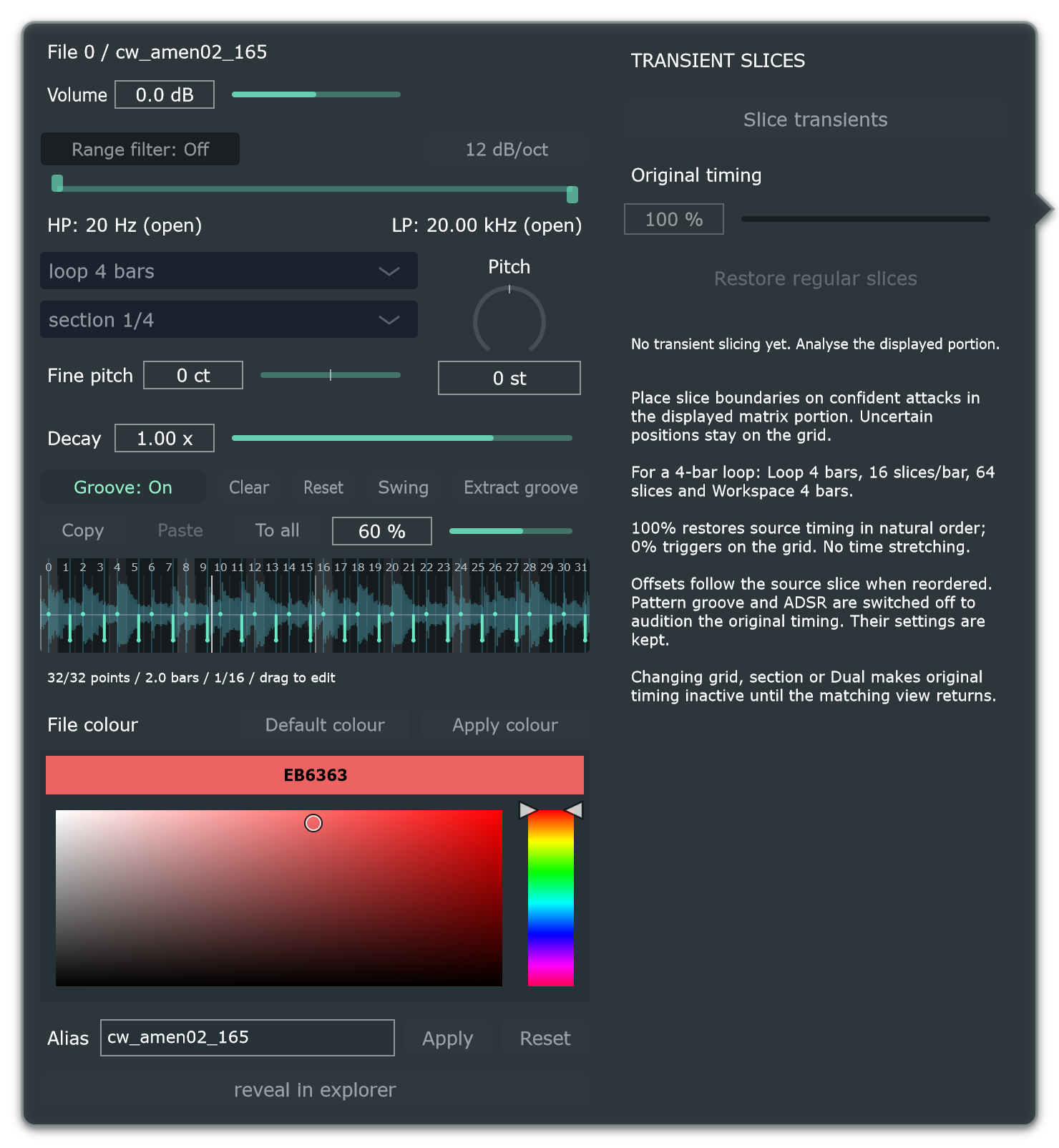
Hear and edit the timing
- Enable Groove: On.
- Raise the amount: 0% keeps triggers straight; 100% applies the full motif.
- Play the loop and compare On/Off.
- Drag a graph point to adjust its timing; right-click it to return it to zero.
Points above centre are early; below are late. Groove changes trigger timing rather than stretching the audio inside each slice.
Swing creates a 66.7% swing motif. The amount controls how strongly it is applied; try a moderate amount first. Swing is unavailable in Triplet.
Match the rhythm mode
A motif belongs to Straight or Triplet. A Straight motif remains stored but inactive in Triplet, and vice versa. If Groove is On but inactive, check the current rhythm mode.
Share a motif
Copy copies the motif, length and resolution. Paste replaces the open slot's motif while preserving its On/Off and amount. To all copies the current motif to the other slots while keeping their individual activation and amounts.
For a consistent feel across several loops, create a motif on one source, choose To all, then adjust each slot's amount.
The controls beside the groove also include transient-slicing options in some builds. Their full workflow is being documented separately; groove extraction and source slicing are distinct operations.