First loop
Start with one source and a one-bar pattern. Once that works, add variations and other files.
1. Prepare the source
- Click add below the file list and choose a rhythmic audio loop. WAV, MP3, FLAC and AIFF are accepted, up to 120 seconds per file.
- Select its row in List mode.
- Set loop 1 bar, 2 bars or 4 bars to match the file's actual musical duration. Choose the source section you want.
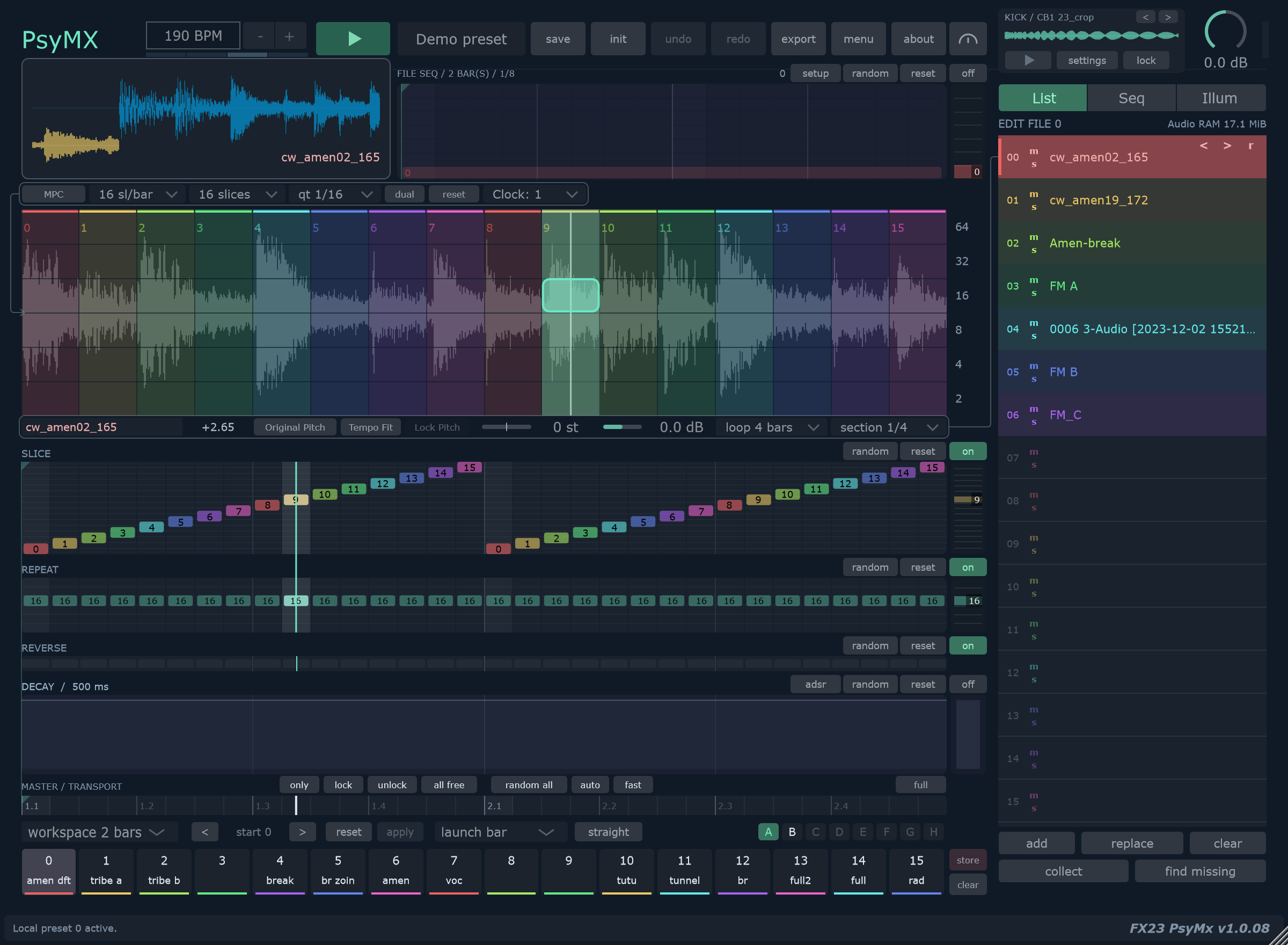
- Begin with 16 sl/bar, 16 slices, qt 1/16, Clock: 1 and workspace 1 bar.
Loop length describes the whole file. Workspace length describes the pattern you are about to record.
2. Play and capture
- Start PsyMX playback. In VST3, start the DAW transport too. In Standalone, set your desired BPM.
- Hold in the matrix. Left to right changes slices; top to bottom moves from fast to slow repeats.
- Move left and right to choose slices, then briefly move upward for a faster repeat.
- Release. The captured slice and repeat lanes continue looping.

View the full workspace still capture
3. Refine the phrase
Draw directly in SLICE or REPEAT to change a small passage. Open adsr, lower Sustain and enable the envelope if you want shorter hits. Leave Clock at 1 while checking the basic loop.

Try MPC when you want to record slice choices without changing repeat choices.
4. Keep two variations
- Click store, then a local memory.
- Change a few steps and store the result elsewhere.
- Choose launch beat or launch bar.
- Recall the two memories during playback.
Saving features depend on build and registration. See Local memories.
Wrong speed?
Check the source's Loop length first. Use Tempo Fit for tempo-linked playback. Clock changes sequencing speed separately from sample speed.
Next: Groove for timing variation, or File sequence to combine several loops.