Interface overview
PsyMX groups source preparation, performance and pattern editing in one workspace.
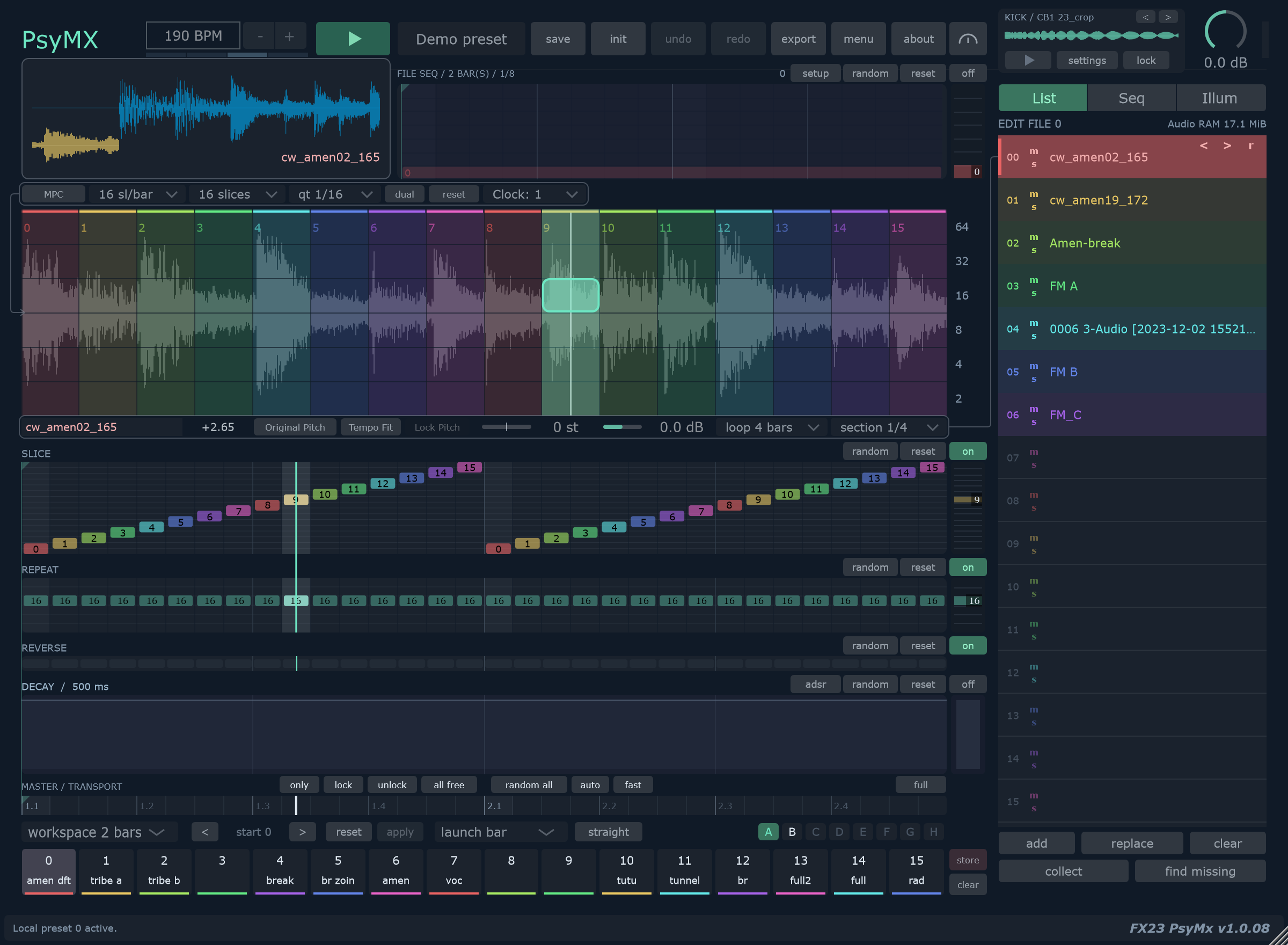
Find the right area
| Area | Purpose | Read more |
|---|---|---|
| Top toolbar | Tempo, transport, presets, undo, export and preferences. | First loop |
| Scope | Follow the playing audio and source name. | Audio slots |
| Matrix | Choose slices horizontally and repeat rate vertically. | Matrix capture |
| File controls | Set pitch behavior, volume, source Loop and section. | Pitch and source settings |
| SLICE / REPEAT / REVERSE / DECAY | Edit the decisions within a performance. | Lanes and envelope |
| FILE SEQ | Select the source over time. | File sequence |
| List / Seq / Illum | Play one file, sequence files or open Illuminatrix. | Illuminatrix |
| MASTER / TRANSPORT | Set Workspace, Start, launch timing and protections. | Workspace and clock |
| A–H and memory strip | Store and recall variations. | Local memories |
| KICK | Layer a separately triggered sample. | Kick |
Keep three lengths separate
Loop is the source file's musical duration. Matrix slices and sl/bar determine the visible source span. Workspace is the repeating pattern length.
For example, you can use one section of a four-bar file inside a two-bar workspace, then set Clock to /2 so those two pattern bars occupy four transport bars.
Follow the active source
In List, the selected source is played manually. In Seq, the file timeline chooses what you hear; the editor can still select a slot for settings.
Before moving slice boundaries, return to List and select the source you intend to edit.
For a practical tour, follow First loop. For individual commands, use Gestures and shortcuts.