MIDI and preferences
MIDI can recall local variations or capture performance choices. Check the role first: the same note number can mean different things on different assigned channels.
Open MIDI settings
Open menu, then the MIDI settings. Preferences are shared by PsyMX instances and saved automatically.
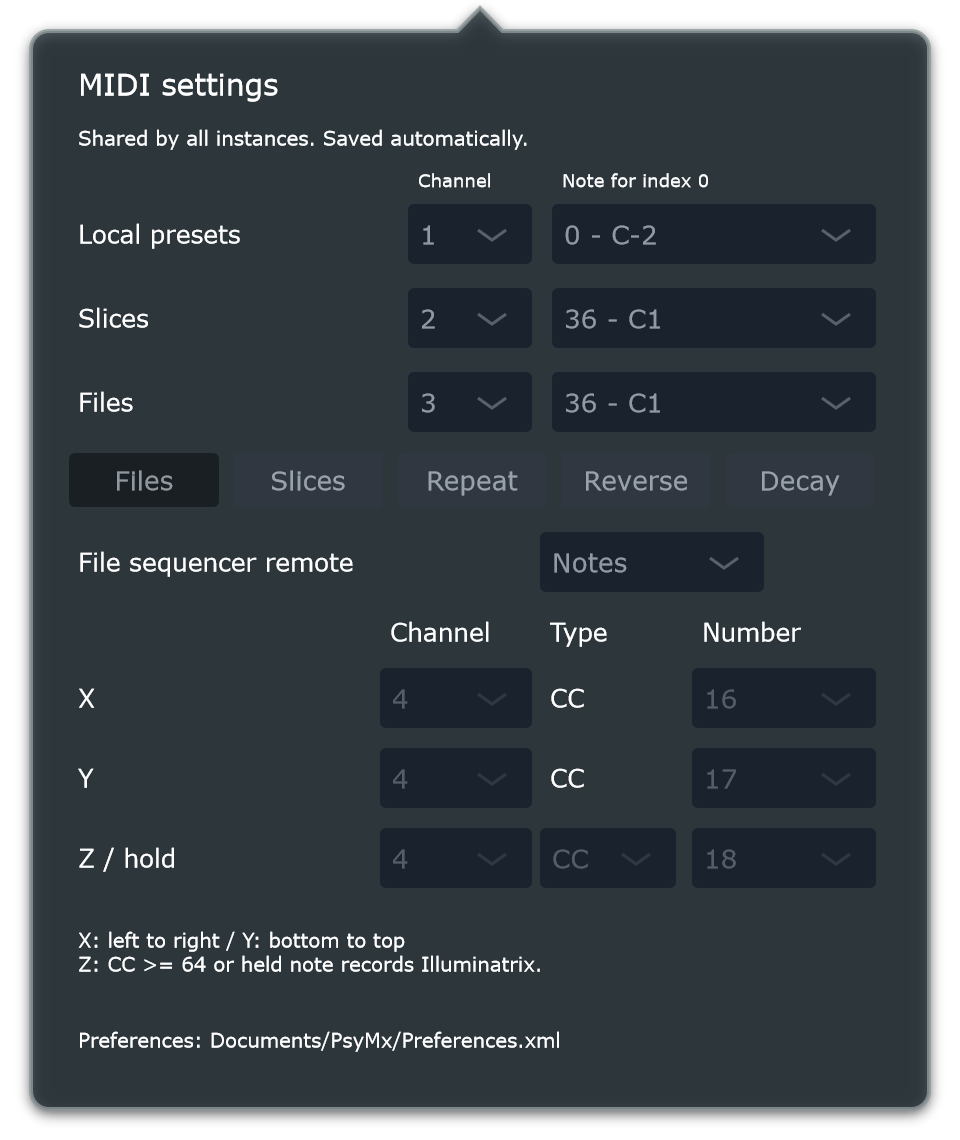
Note roles
| Role | Default channel | Purpose |
|---|---|---|
| Local presets | 1 | Recall a stored variation. |
| Slices | 2 | Capture slice choices. |
| Files | 3 | Capture file choices. |
Assign different channels to these three roles. Note for index 0 defines the first note of each mapping; following notes advance through the indices and wrap at the end. PsyMX displays MIDI note 60 as C3 and 36 as C1, so use note numbers if your DAW names octaves differently.
Remote performance
Choose the Files, Slices, Repeat, Reverse or Decay tab. Match the selected remote mode, channels and controller numbers to your hardware.
| Remote | Values | Hold to record |
|---|---|---|
| Files XYZ | X/Y position on Illuminatrix | Z, configured as CC or note. |
| Slices XYZ | X selects slice; Y selects repeat | Z, configured as CC or note. |
| Repeat YZ | Y selects repeat; CC 127 is the matrix's top row | Z CC. |
| Reverse XZ | X below 64 plays forward; 64 or above reverses | Z CC. |
| Decay XZ | X from 0 to 127 spans minimum to maximum decay | Z CC. |
For a Z controller, 64 or above means hold and below 64 means release. A configured note hold lasts while that note is held.
DAW setup checklist
- Route the controller's MIDI to PsyMX.
- Start the DAW transport and PsyMX playback.
- Check the target role's channel or remote mode.
- Check the lane and any workspace protections.
- Send a short gesture, release it, then listen to the captured loop.
VST3 follows host timing. Local-memory Launch chooses when a requested variation starts.
Related: MPC · Illuminatrix · Troubleshooting.