Matrix and capture
The matrix turns a two-dimensional gesture into two lanes: slice choice and repeat rate.
Read the axes
| Direction | Controls |
|---|---|
| Left → right | Source slice, following the visible boundaries. |
| Top → bottom | Repeat duration: 1/64, 1/32, 1/16, 1/8, 1/4, 1/2 in Straight. |
Triplet uses the corresponding triplet durations. A fast repeat retriggers the selected slice; it does not simply move the playback cursor through the original loop.
Record a gesture
- Start playback, including the host transport in VST3.
- Set qt to the capture quantization: 1/16, 1/8 or 1/4.
- Hold in the matrix and move to the slices and repeat rates you want.
- Release. The captured lanes continue playing.
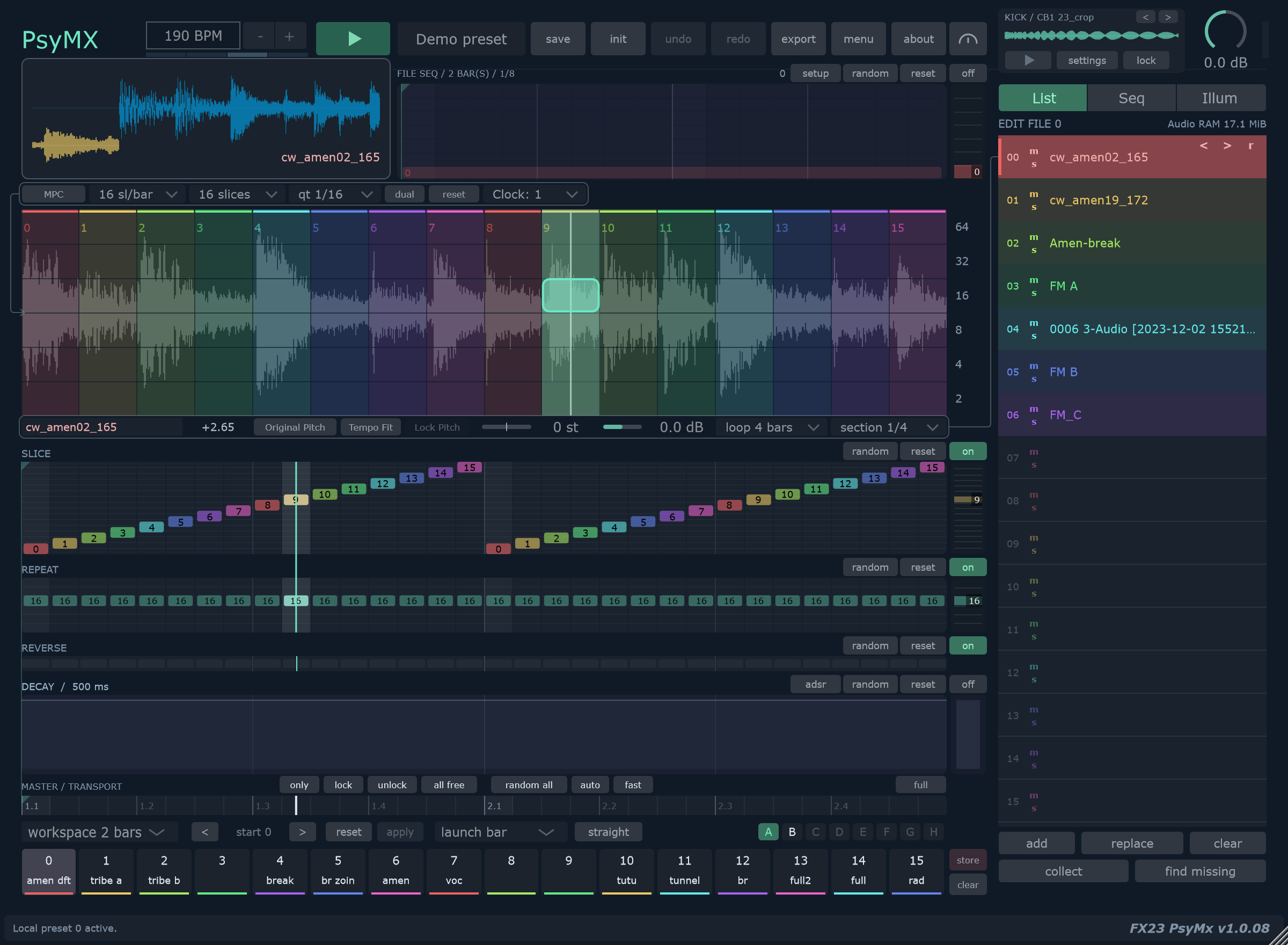
Capture timing and source slicing are separate. Changing qt changes when mouse choices are written; it does not add or remove source slices.
Try a short fill
Store a simple variation first. Hold one slice near the bottom of the matrix, then move upward briefly for a fast repeat. Release and refine the fill directly in the lanes.
Choose a matrix size
Choose 8, 16, 32 or 64 slices. sl/bar sets the source slicing reference, separately from workspace length. Marker positions are stored independently for the different sizes.
Edit source boundaries
In List, use Alt + drag to move an interior boundary. The matrix reset restores markers for the selected slot and current matrix size.
With FILE SEQ enabled, the matrix follows the playing file and marker editing is disabled. Return to List to edit one source.
Dual and independent controls
dual plays slice pairs without rewriting the lanes. Try it for longer source phrases while keeping an existing sequence.
MPC provides separate slice and repeat recording surfaces. See Lanes and envelope for direct timeline editing.