Export and portable collections
Choose WAV export when you want finished audio. Choose a portable collection when you want to keep editing the PsyMX preset elsewhere.
Export WAV
Click export for a stereo WAV of the full workspace. Choose 16-bit, 24-bit or 32-bit float. Kick and master volume are included; the metronome is excluded.
Duration follows workspace length, tempo and Clock. At 120 BPM, one four-beat workspace bar lasts two seconds with Clock: 1, four seconds at /2 and eight seconds at /4.
Export requires the full build and valid registration. Resolve missing sources before rendering.
Portable collections
collect copies the audio needed by a preset, including local-memory sources and kick, and exports a portable preset. Keep that preset together with its collected audio.
Ordinary saving references external files. Renaming, moving or deleting those files can create missing references.
Relink missing audio
Open find missing below the library.
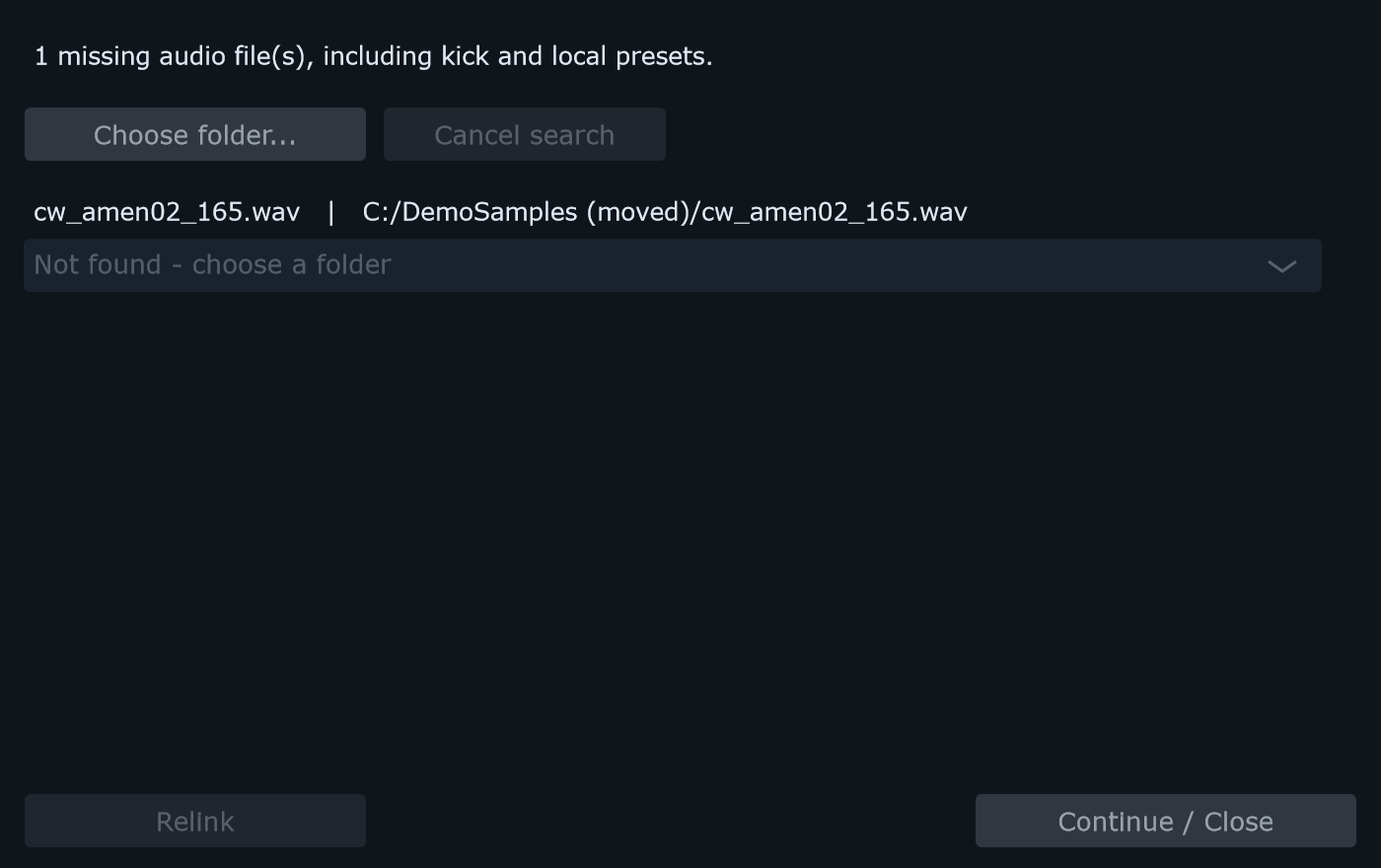
- Click Choose folder… and select the location containing your audio. The search includes subfolders.
- Review the proposed file for each missing reference.
- If several candidates match, choose the intended source explicitly.
- Click Relink to apply your choices.
- Save the preset again to retain the new paths.
Continue / Close lets you leave unresolved sources missing. They remain silent until restored or relinked.