SEQUENCER / WORKSPACE
Patterns and playback
Open Sequencer to edit the selected sound's notes and automation. Each sound has eight patterns, labelled 0–7. The left pane contains timing, triggers, gates, velocity and pitch; the right pane contains automation lanes and two XY pads.
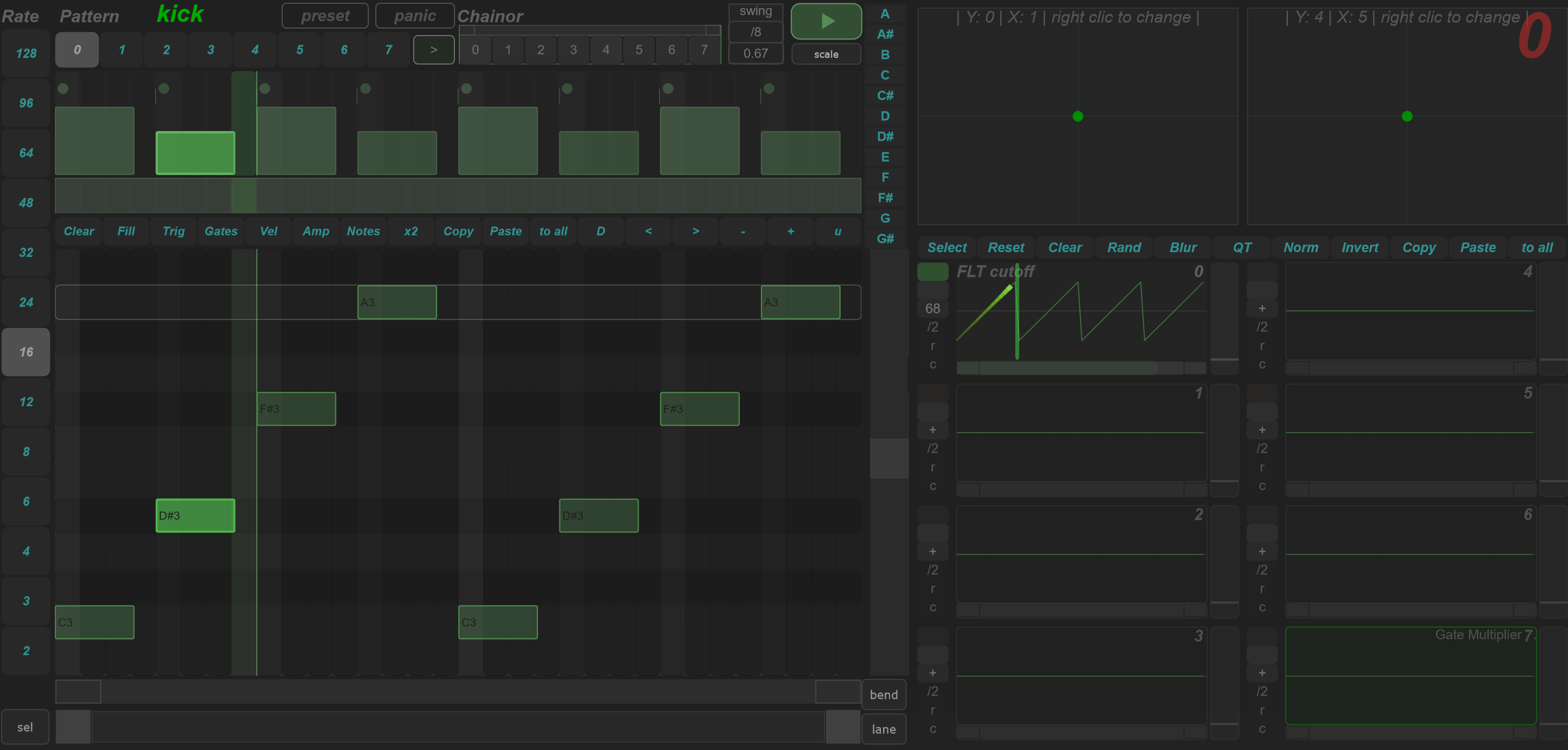
Navigate and play
| Area | Action |
|---|---|
| Sound selector | Choose the sound whose sequence you are editing. |
| Pattern buttons 0–7 | Select the pattern to play, display and edit. Right-click a pattern button to select it across all sounds. |
| Rate buttons | Choose the current pattern's timing rate. |
| Loop range bar | Set the playback region within the pattern. |
| Horizontal zoom | Inspect part of the timeline without changing notes or the playback loop. |
| Divider between panes | Drag to give more space to notes or lanes; double-click to restore the default split. |
| lane | Choose an automation lane to display as an overlay on the note area, or turn the overlay off. |
Enable the sequencer and the sound when auditioning. Playback also depends on the running transport. A visible pattern is not proof that the sequencer is currently producing notes: check playback and the sound's source/amplitude settings together.
Rate and swing
The rate selector presents 128, 96, 64, 48, 32, 24, 16, 12, 8, 6, 4, 3 and 2. Binary and ternary rates use different step layouts. Rate changes alter the pattern's timing; horizontal zoom only changes its view.
Swing has a separate on/off state, amount and reference subdivision for each pattern. Choose the reference, enable swing, then increase the amount while listening to the note placement. A longer gate can overlap the next note even if the trigger positions remain separated.
Chain patterns
The chain row arranges pattern numbers in successive cells. Enable chaining when you want that row to select patterns during playback.
| Gesture on the chain | Action |
|---|---|
| Click and drag a cell vertically | Change its pattern number. |
| Double-click a cell | Request a jump to that chain position. |
| Adjust the chain's range bar | Choose the section of the chain that repeats. |
| Right-click the chain | Reset its entries; repeated resets alternate between a single-pattern row and an ascending pattern sequence. |
Build a few distinct patterns first, then chain them. Use a short chain range while checking transitions before extending the arrangement.
Presets
The context toolbar uses sequence presets (.SQP) in this tab. Its actions belong to the sequence context; the program toolbar still addresses the complete program. Save before copying patterns across sounds or applying bulk tools.
Continue with Notes, gates and velocity, Automation and XY pads, and Selection, scales and bends.