CURVE EDITOR / SEGMENTS
Segment types
A segment connects two consecutive main points. Its type defines how the curve travels between them. Different types can coexist in one curve: use smooth movement for an envelope decay and a step where you need a sudden change.
PSYLAB was built around the power of true cubic Bezier curves, but other segment types also have their uses: for example, steps can be useful when manipulating FFT bins.
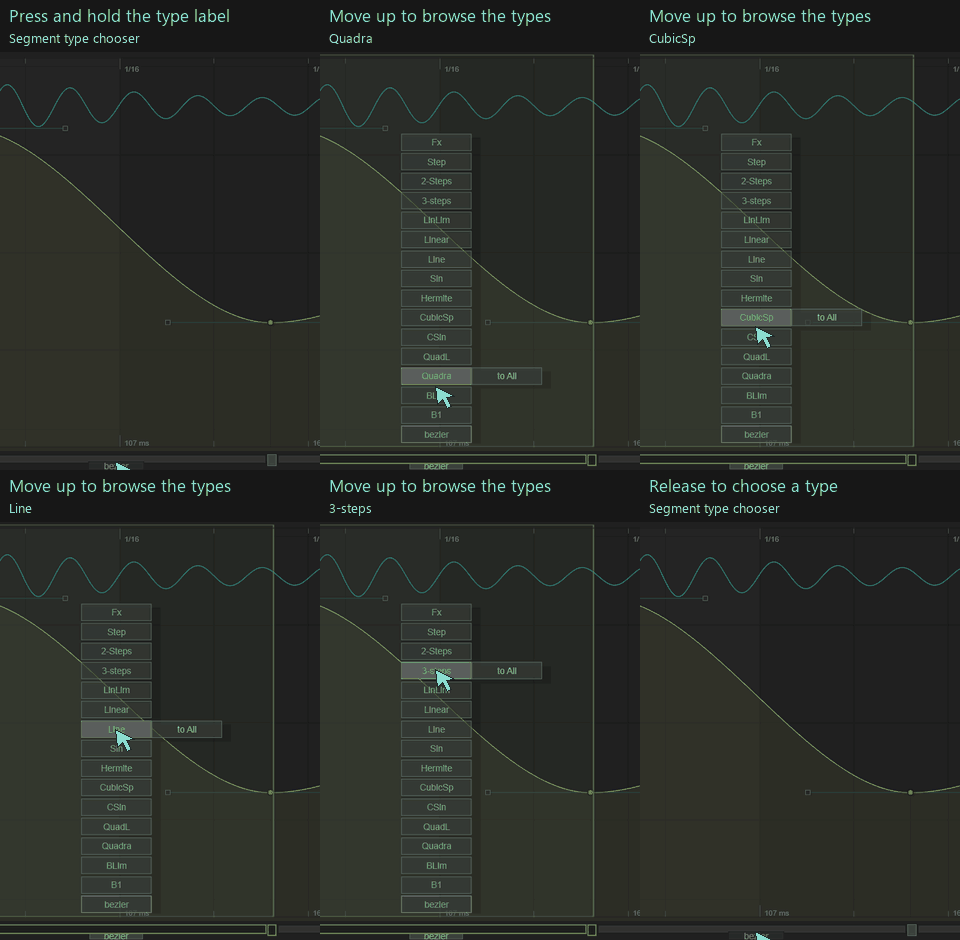
Open show → segments to reveal the segment strip, then use a segment's type label to choose its shape. These are the labels used in the interface.

Curves and splines
| Type | Shape and control behaviour |
|---|---|
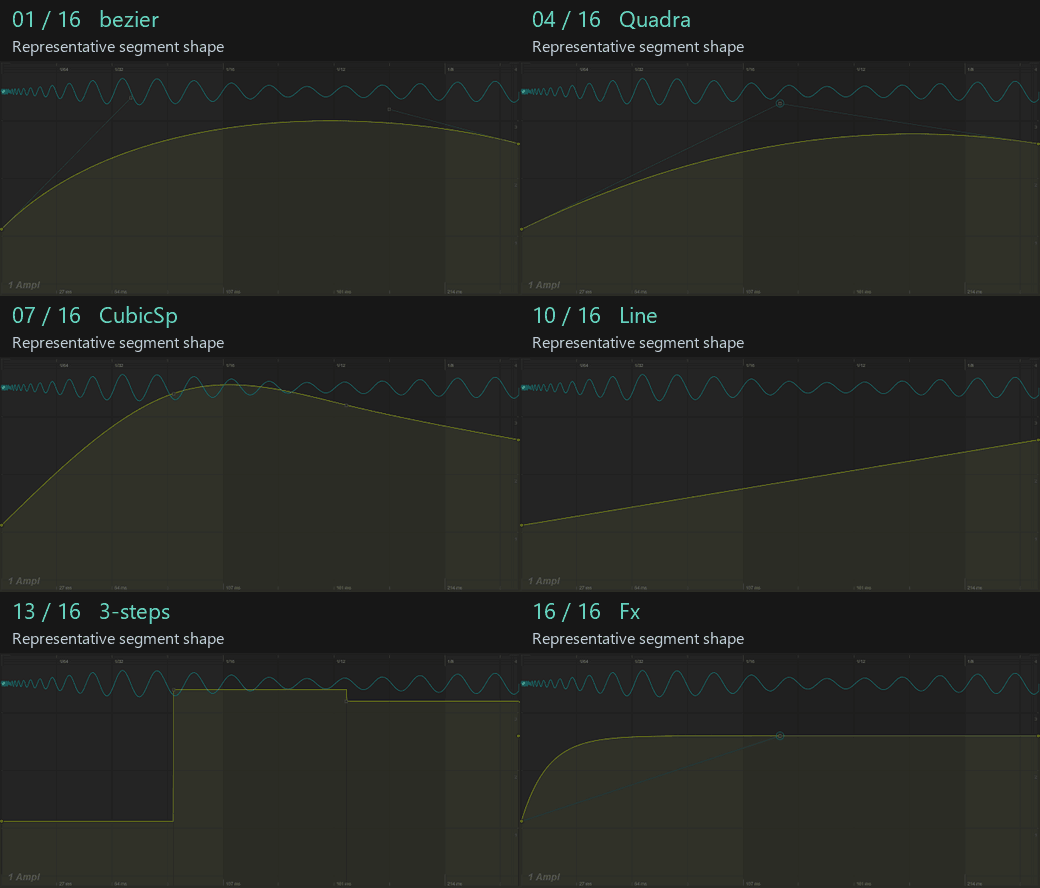
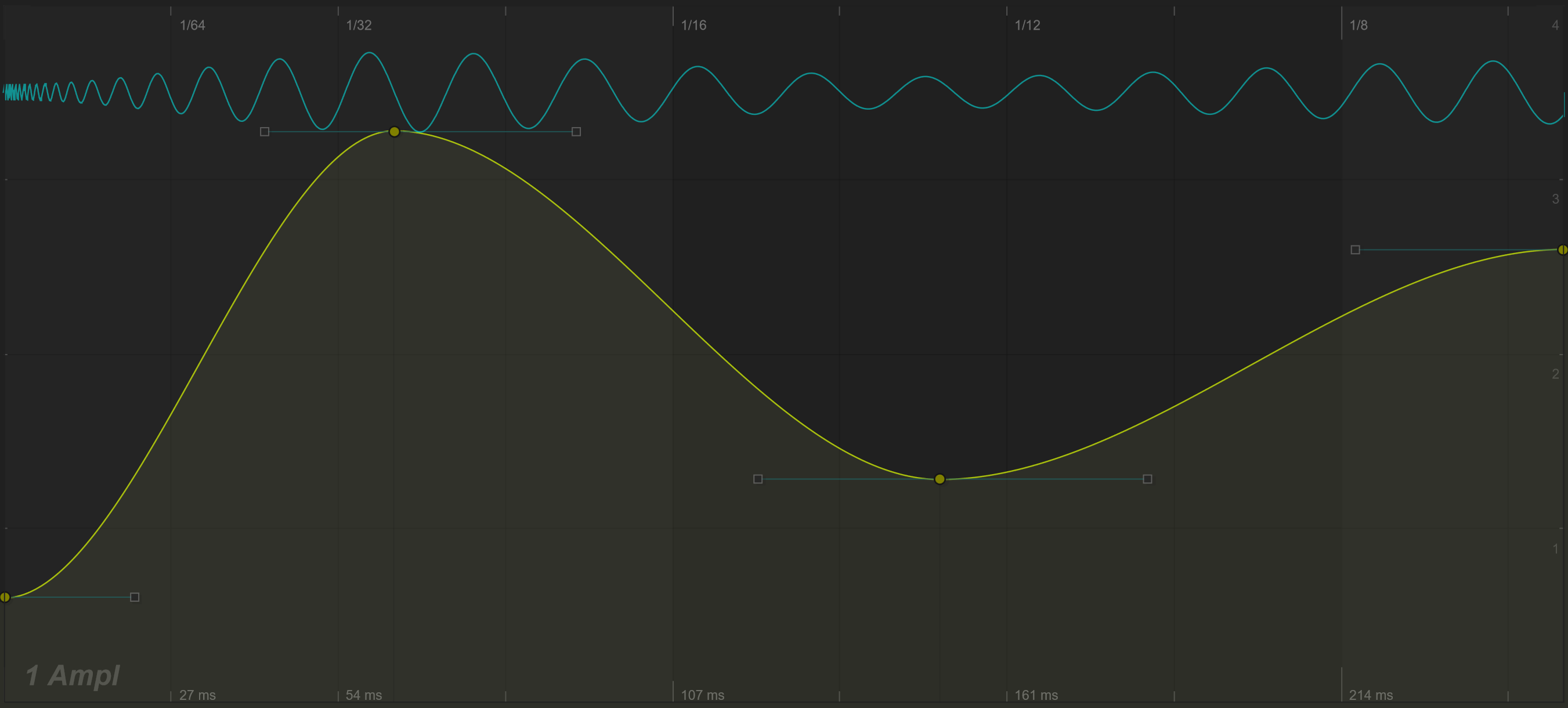
| bezier | Cubic Bezier segment with two control handles. Shape departure from the first main point and arrival at the next independently. |
| B1 | Bezier variant with a shared control position. Its vertical control can extend beyond the endpoint values. |
| BLim | Shared-control Bezier variant whose control value stays between the endpoint values. |
| Quadra | Quadratic Bezier transition using one shared control position. |
| QuadL | Quadratic variant with its control value limited between the endpoint values. |
| CSin | Cubic interpolation controlled by endpoint slopes. The vertical handle offsets set those slopes; this is not the oscillating Sin type below. |
| CubicSp | A spline interpolating through the endpoints and the two internal control positions. Unlike a Bezier segment, the internal points lie on the interpolated path. |
| Hermite | Hermite interpolation through the stored endpoint and internal positions, producing a smoothly varying path between them. |
| Fx | A shaped transition combining curved and S-shaped behaviour. Its shared control is limited between endpoint values. |
The same handle arrangement does not produce the same path in every type. Start with bezier for flexible envelope shaping, then compare another type while keeping the main points in place.
Oscillation: Sin
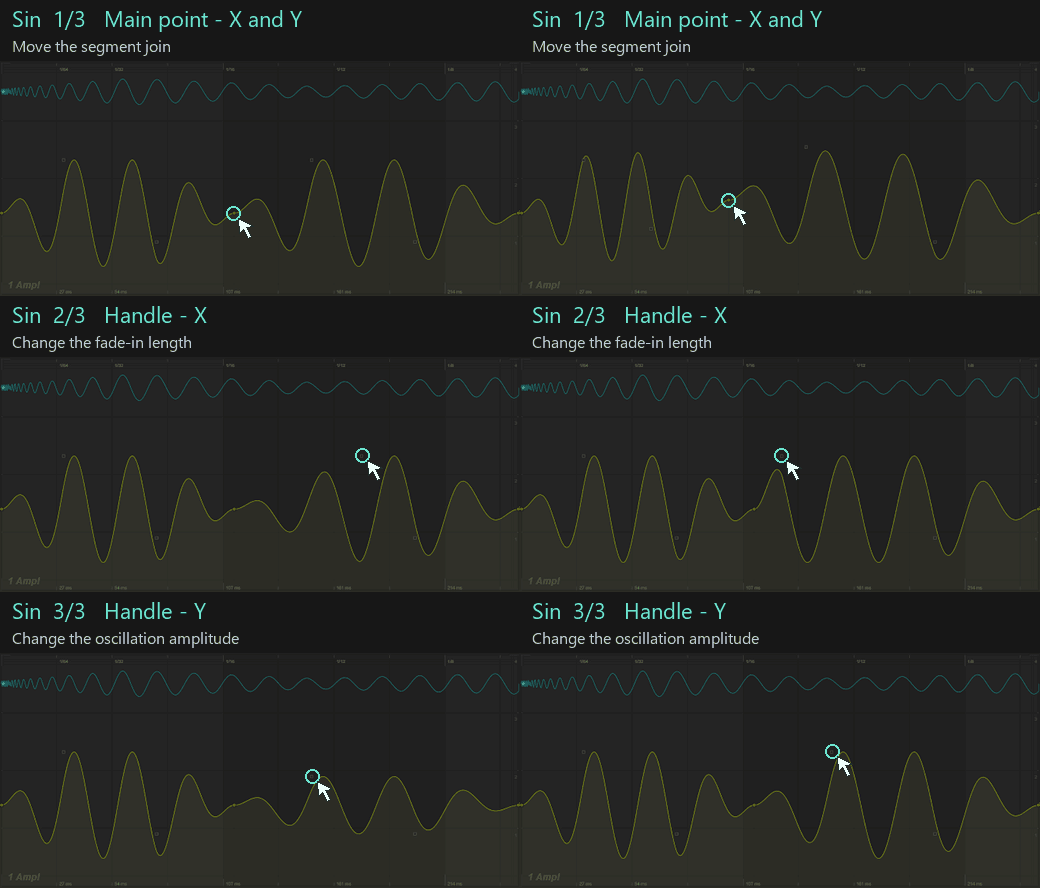
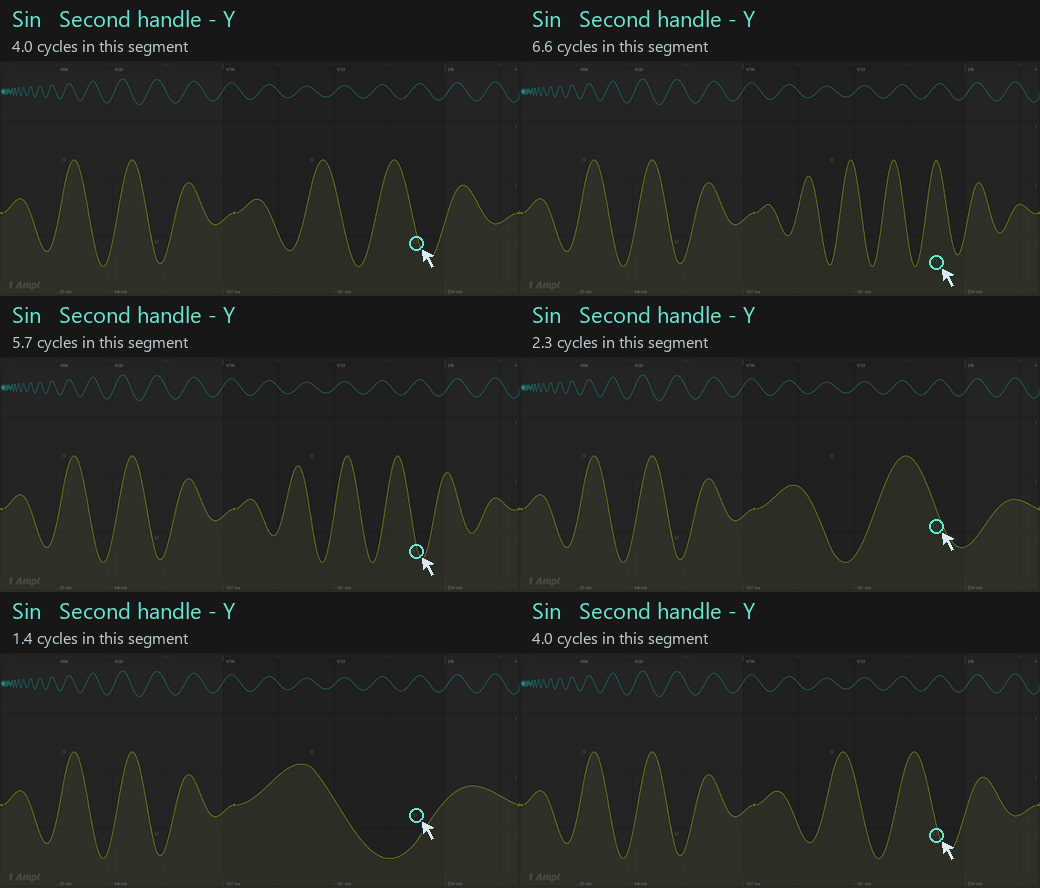
Sin adds an oscillation to the straight transition between main points. The first handle's vertical offset controls its amplitude; the second handle's vertical offset controls the cycle count. Moving that second handle above the ending point switches the oscillation to a square shape. The horizontal handle positions shape its fade-in and fade-out.
Choose Sin for repeated movement within one segment. For a single smooth transition, start with bezier, Quadra or Fx instead.
Straight transitions
| Type | Shape and control behaviour |
|---|---|
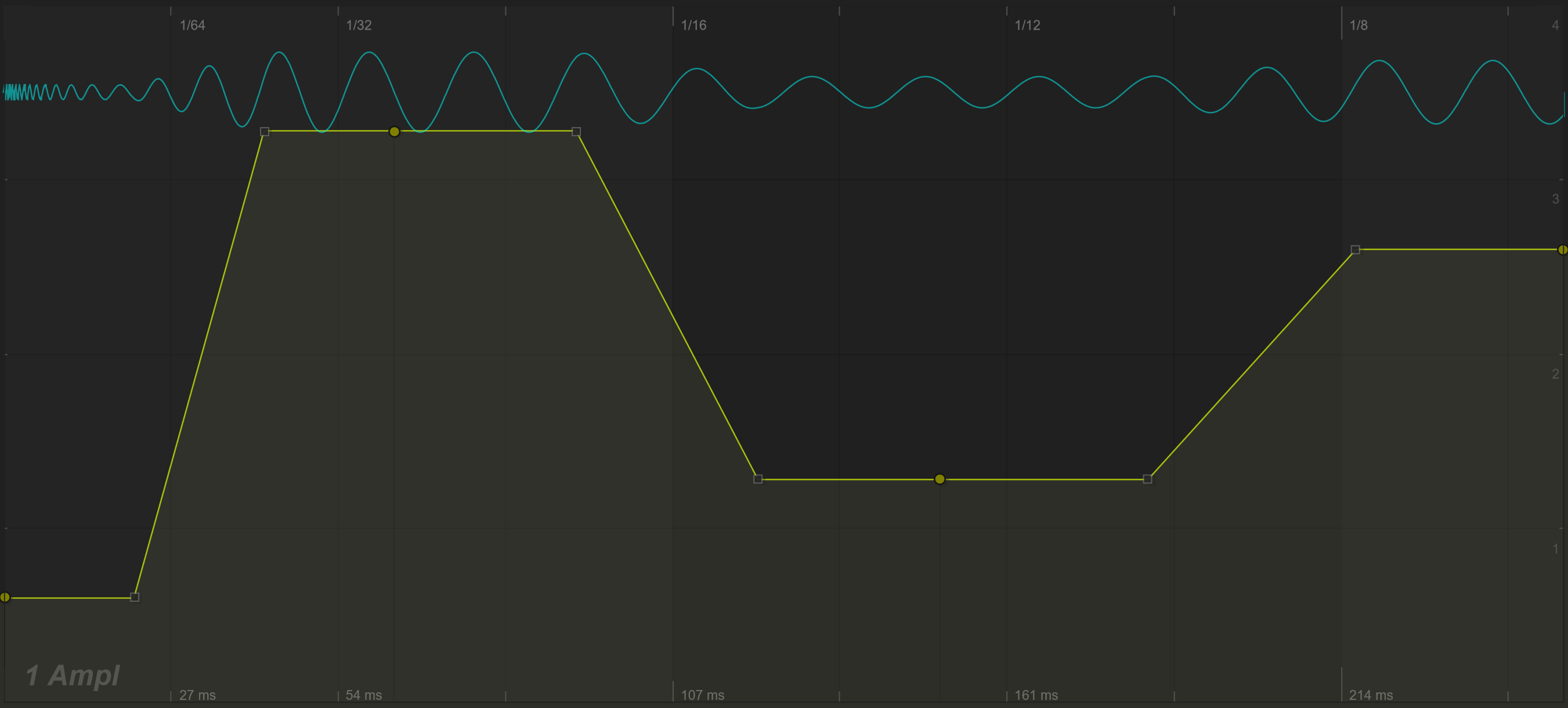
| Line | One straight connection between main points. Internal control positions do not bend the segment. |
| Linear | Three straight sections passing through the two internal control positions. |
| LinLim | A piecewise straight transition with a shared internal control limited between the endpoint values. |
Line is useful when the interval should have a constant slope. Linear gives you bends within that interval without adding more main points.
Steps
| Type | Shape and control behaviour |
|---|---|
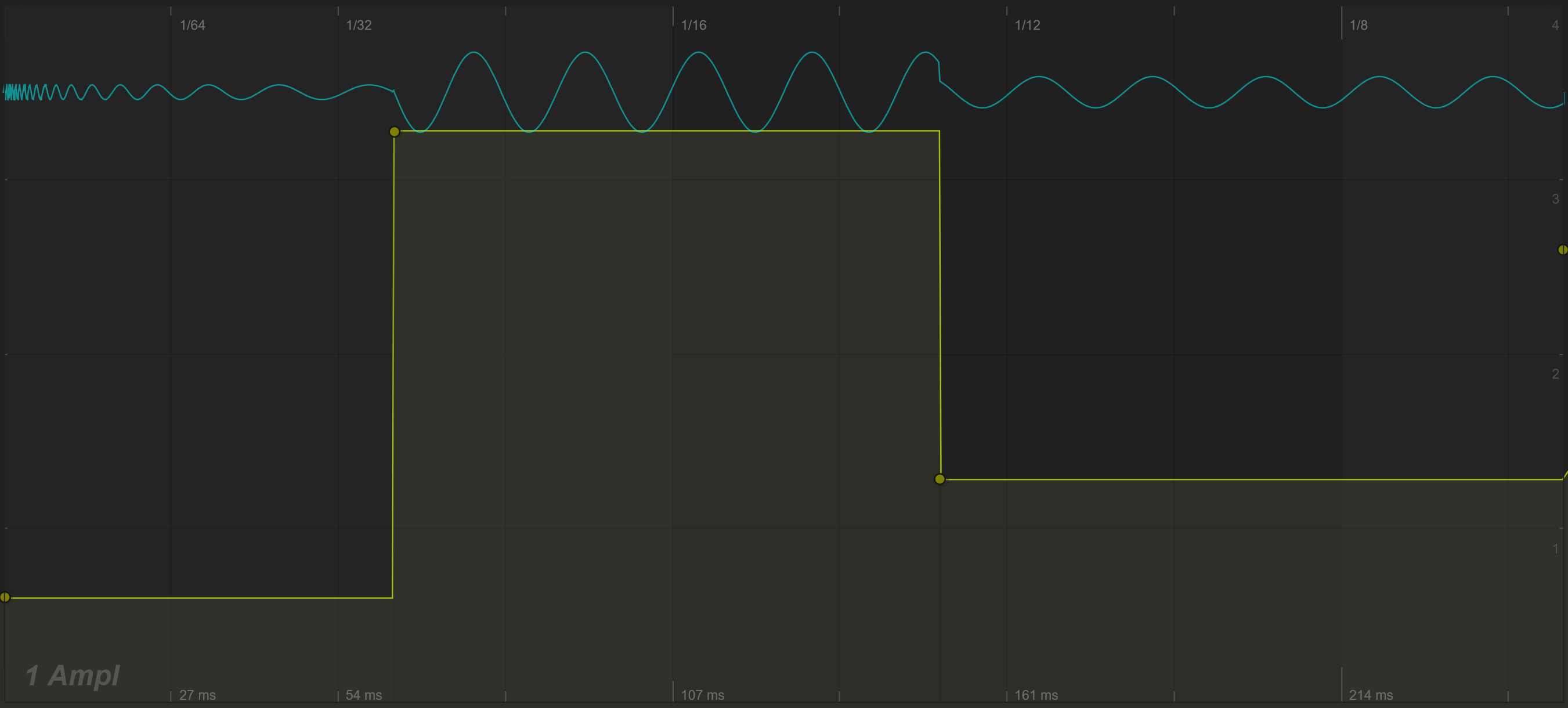
| 3-steps | Three plateaus within a segment. Internal control positions determine the intermediate levels and jump locations. |
| 2-Steps | Two plateaus using the shared internal control arrangement. |
| Step | Holds the starting main point's value until the next main point. |
Steps produce abrupt changes. Listen carefully when applying them to amplitude or a waveform, where discontinuities can introduce clicks or extra harmonics.
Return to Editing curves for point gestures, or Tools and timing to generate and process larger shapes.