PARAMETERS EDITOR / SOURCES
Oscillators and sources
Oscillator A and B provide two source sections for each sound. Enable the oscillator you want to hear, then choose its engine. The engine determines how the waveform is produced and which source-specific controls appear.
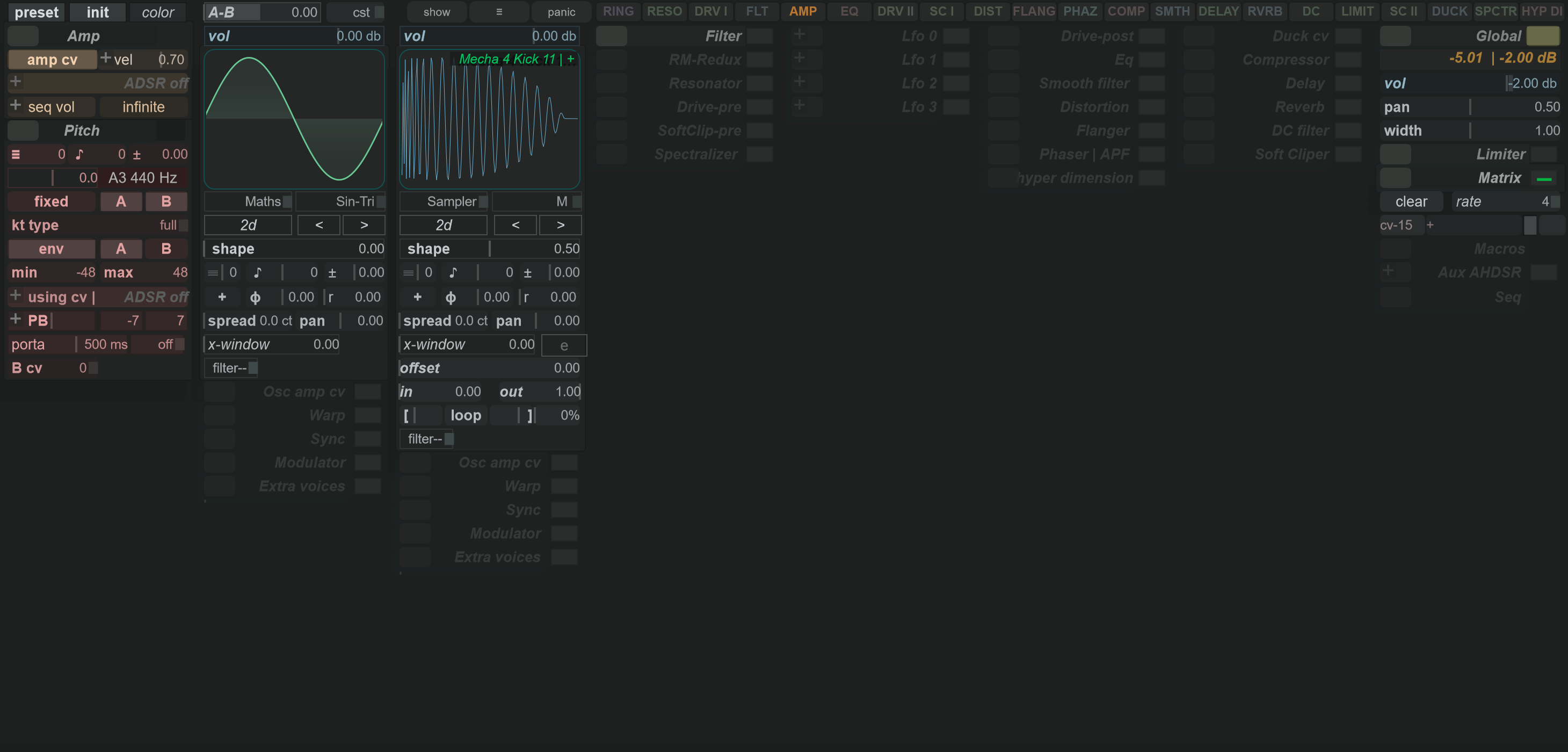
Choose an engine
These are the labels shown in the engine selector. Some engines use a generated waveform; others need a curve, spectral data, a file or an audio input.
| Engine | Source and workflow |
|---|---|
| Maths | Choose a mathematical waveform, then adjust its shape controls. |
| Noises | Choose a noise source and its available shaping controls. |
| Wavtable | Choose a wavetable and adjust its position/shape controls. |
| Hybrid | Use the hybrid source's waveform controls; its available settings differ from Maths. |
| Additive | Build the source from partials with the engine's harmonic controls. |
| FFT | Use the spectral source and its bin-related curve controls. |
| Bezier | Use the sound's oscillator curve as the waveform shape: 4 Osc A or 5 Osc B. |
| Sampler | Load an audio file and work with the sample playback settings. |
| Cycler | Load an audio file and use the cycle-oriented playback settings. |
| Audio IN | Use the available incoming audio signal. It needs an input supplied by the running application or host. |
Changing the engine changes the meaning and availability of some neighbouring controls. Check their labels again after switching; a shape setting in one engine is not a universal description of another engine's sound.
Balance and tune the sources
| Area | What to adjust |
|---|---|
| Oscillator Vol | Balance that oscillator against the other source. |
| A–B | Adjust the shared source balance; inspect the adjacent mix-mode control as well. |
| Coarse and fine pitch | Set the oscillator's tuning before adding the pitch envelope or other modulation. |
| Phase and restart controls | Choose the oscillator's phase behaviour where the current engine supports it. |
| Unison/spread/pan controls | Expand the relevant section to adjust the available voice and stereo settings. |
| Oscillator filter | Use the source's own filter section, separately from the main filter stage. |
Start with one oscillator enabled and a simple waveform. Tune and shape it first, then enable the second source and balance the pair. If you change both sources together, it becomes harder to identify which setting produced a change.
Files and previews
Click the source filename field to open the available file browser for a file-based engine. The sample editor is available for an enabled Sampler or Cycler oscillator while its sound is on. Its waveform and playback controls belong to that loaded source, rather than to the main Curve Editor's envelope.
In the oscillator's 3D preview, middle-drag changes the viewing angle; middle-double-click resets it. This changes the preview, not the oscillator's tuning. The 3D view is conditional on the active source and preview mode.
For a curve-driven waveform, switch to Editing curves, select Osc A or Osc B, and keep track of the selected sound. For a changing pitch contour, use Pitch instead: it has a different role from an oscillator waveform.